
 Powered by Advanced AI
AI Vocal Remover- Extract Vocals from Any Song Instantly
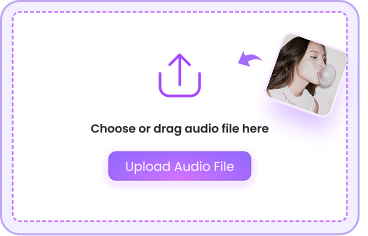
Upload Audio File
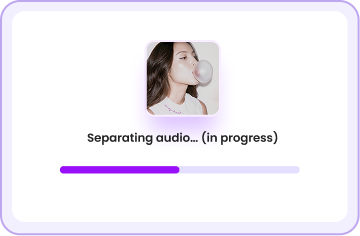
Separating audio… (in progress)
This may take a few seconds
0%
Source File: VOY A LLeVARTE PA PR.mp3






Your tracks are ready.
Upgrade anytime to download and process more audio.
 Upgrade — from $4.99/mo
Get It Now
Upgrade — from $4.99/mo
Get It Now
Free trial used — sign in to continue

Trial Limit Reached
You've used your free separation.
Upgrade to keep separating vocals
with no limits.
Upgrade — from $4.99/mo
Sign in
to continue
Error
USE CASES
Empowering Every Creator: Real-World Use Cases

Crafting Professional Remixes and Bootlegs for DJs
Crafting Professional Remixes and Bootlegs for DJs
Transform any original track into a creative canvas by using our AI stem splitter to isolate individual elements. DJs and music producers can extract clean acapellas and rhythmic stems to produce studio-grade remixes, mashups, and transitions that stand out in any set.
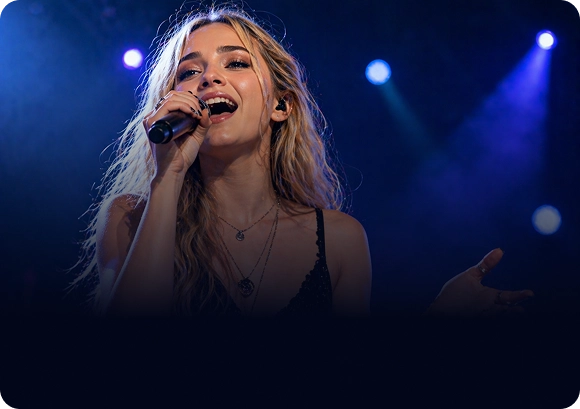
Creating High-Fidelity Backing Tracks for Singers
Creating High-Fidelity Backing Tracks for Singers
Practice and perform with confidence by generating custom instrumental tracks from your favorite songs. Our technology allows vocalists to remove the lead singer while preserving the backing vocals and emotional depth, making it the ultimate tool for karaoke lovers and cover artists.
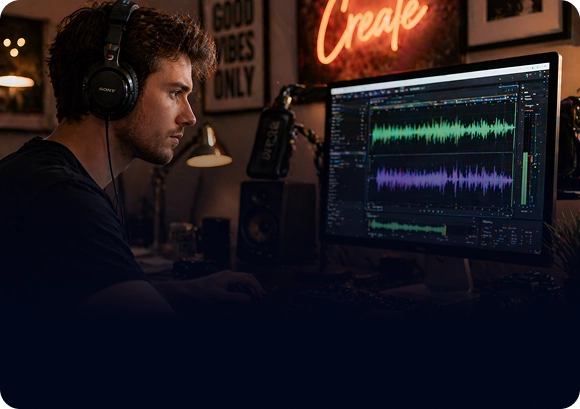
Streamlining Audio Post-Production for Content Creators
Streamlining Audio Post-Production for Content Creators
Enhance your video content for YouTube and TikTok by isolating background music or removing unwanted vocals from recorded audio. This AI audio isolation tool helps creators extract clean dialogue or background themes, ensuring your social media projects have professional-level sound design.

Sampling and Sound Design for Music Producers
Sampling and Sound Design for Music Producers
Unlock hidden textures within existing recordings by isolating instrumental sounds. Music producers can use these separated layers for granular sampling, allowing for unique sound manipulation and the creation of entirely new compositions using lossless audio separation。
HOW IT WORKS
Remove Vocal in 3 Steps



Choose Your Plan
Try It Free, Upgrade Anytime
BASIC
$9.95/ month
-
 Up to
100 minutes per month
Up to
100 minutes per month
-
Standard quality
-
Faster
processing
-
Batch
processing support
PRO
$29.95/ month
-
 Up to
500 minutes per month
Up to
500 minutes per month
-
Standard quality
-
Faster processing
-
Access to premium support
24/7
STARTER
$4.95
-
30 minutes included
-
Standard quality
-
Faster processing
-
Batch processing support
-
Available permanently
STANDARD
$9.95
-
100 minutes included
-
Standard quality
-
Faster
processing
-
Batch processing
support
-
Available permanently
PRO
$19.95
-
300 minutes included
-
Standard quality
-
Faster processing
-
Batch processing
support
-
Available permanently
FAQ
Frequently Asked Questions
Q1: How does an AI vocal remover work?

Q2: Will I lose audio quality after removing the vocals?
Q3: Can I isolate more than just vocals, like drums or bass?
Q4: Is it legal to use a vocal remover for my YouTube videos?
Q5: What audio file formats are supported?
Q6: How long does it take to process a full song?
Ready to Transform Your Music Experience?
Whether you're creating karaoke tracks, remixing beats, or producing content — start separating audio like a pro in seconds.
 Start Separating — It's
Free
Start Separating — It's
Free